This week I was considering writing about how I use unusual documents in my research, how I like to go wide when I look at family trees, and how I love finding an ancestor who started life as a farmer’s son and ended as a high-flying solicitor, or other such incongruous leaps in society.
But last night, I gave my first ever genealogy presentation.
I have been playing with family history for a while, and started my one-name study in 2020. But I don’t consider myself someone who had the authority to give a presentation on a genealogy topic.
However, it is something I want to do for one main reason:
I love talking to people about stuff.
Information is my thing. I’m a librarian by training, and it’s a vocation rather than just a job. Giving people the information and tools they need to expand their own learning and maybe try something new is just brilliant. Makes my heart sing!
So when the Chair of the Guild of One-Name Studies mentioned that he was looking for someone to talk about RootsMagic, with a view to putting together a “Family History Software for your One Name Study” webinar series, I put my hand up.
Did he want an expert? No. Well OK then.
Roll on January, and we finally got our US visas and set a date for relocation. Now I was writing my first ever genealogy presentation, and packing up my house. Not stressful at all!
But I took a deep breath, asked my husband to help make my presentation look pretty (he has wicked PowerPoint skills) and last night sat down to talk about why I use RootsMagic 8 for my one-name study for 45 minutes.
I don’t think I made a fool of myself.
I’ll share a short version of my presentation below, and the recording will be available for a little while on our website here.
My presentation (in brief)
This was a talk about why I use RootsMagic 8, and why I think it is a good family history software program for a one-name study, particularly for researchers who are fairly new to one-name studies.
During my talk I gave a brief tour of the software, but I’ll let you tour it yourself – there’s a free version here.
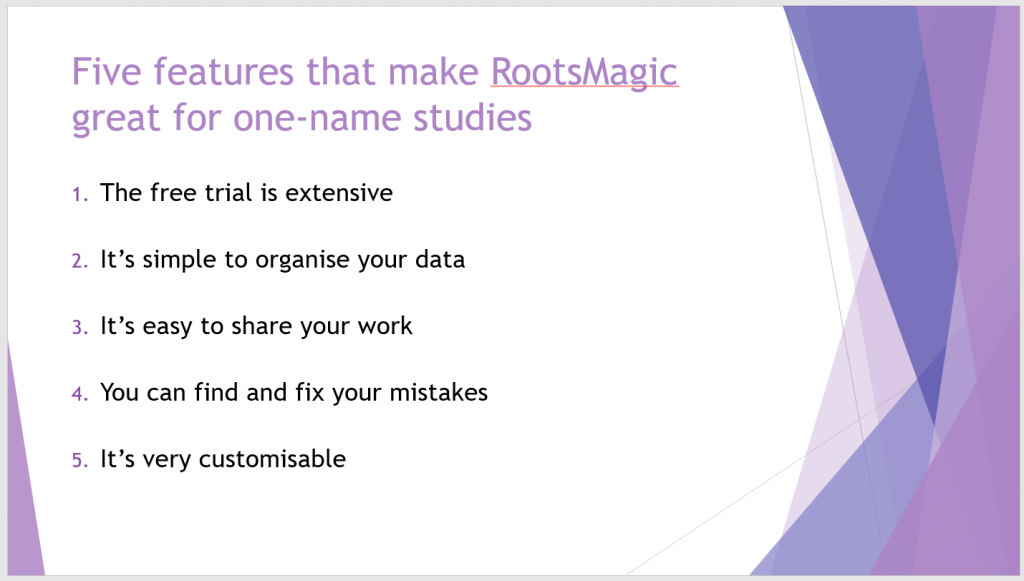
After my tour, I pulled out five features that I think make RootsMagic 8 a great piece of software for a one-name study
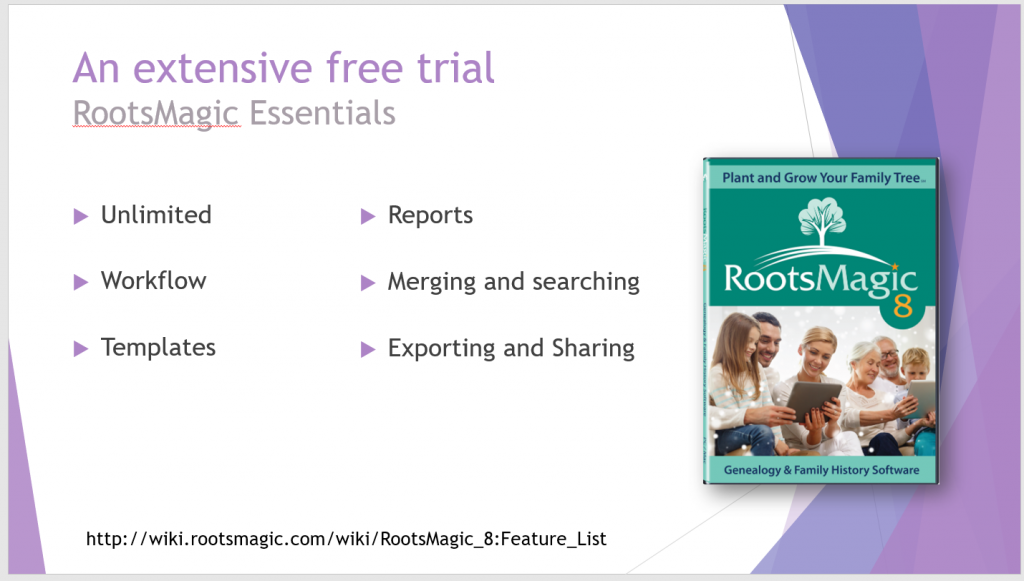
Firstly, you get an extensive free trial. Some FHS companies give you the whole program for a limited amount of time, but at the end of the trial period you lose your work unless you purchase the software or download it as a GEDCOM.
RootsMagic instead gives you a limited version of the software for free, forever. It’s called RootsMagic Essentials.
You can add unlimited people to the database (handy for large studies), the workflows are the same as the paid-for version, you have access to all the source and fact templates, there are plenty of reports to try out, you can merge duplicates and interrogate your database, and the free software offers you the full export and sharing capability to export your database if you decide that RootsMagic isn’t for you.
There are some features that are not in RootsMagic Essentials. These are mostly the advanced features such as customisation, creation of source templates, mapping, and an expanded report selection.
However, the free version has plenty to be going on with while you make your mind up.
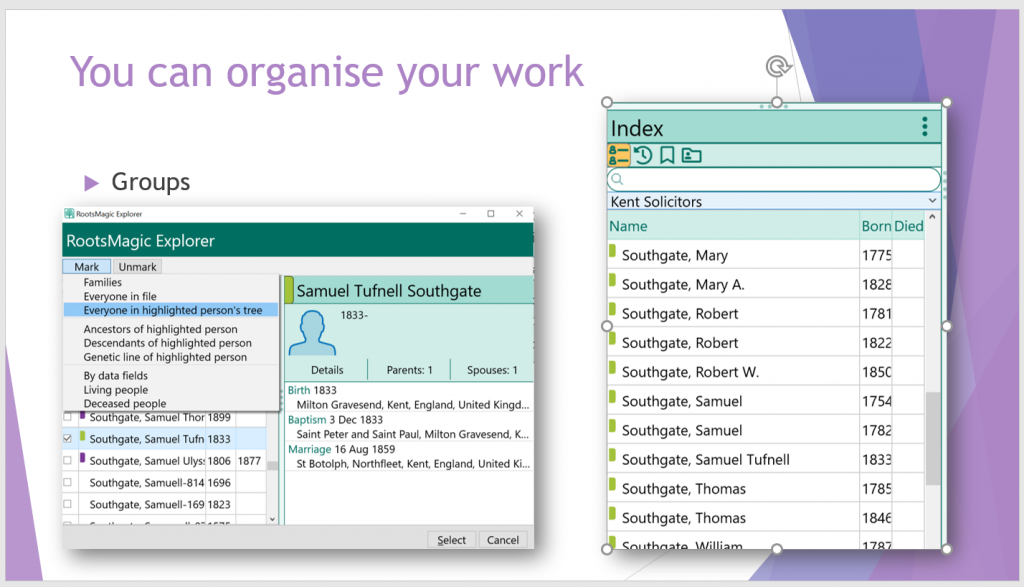
I love the way that RootsMagic 8 allows me to organise my data, even though I am a really disorganised genealogist.
It has groups, which work like tagging individuals – you can select a person, or a set of people as you see above, and add them to one or more groups. Then you can limit your index to just that group. It makes finding people in a large database a lot easier.
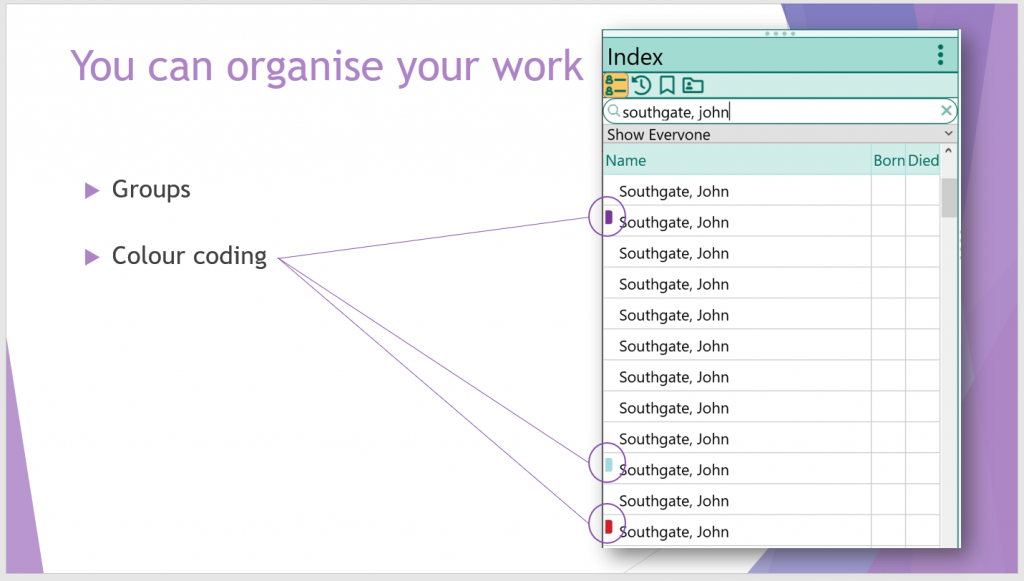
Taking the organisation further, you can also colour code people in your database. Here, John Southgate is in my own family tree, John Southgate was from Nottingham, and John Southgate was a trunkmaker. Without the colour-coding there would be a lot of clicking to find the person I was looking for.
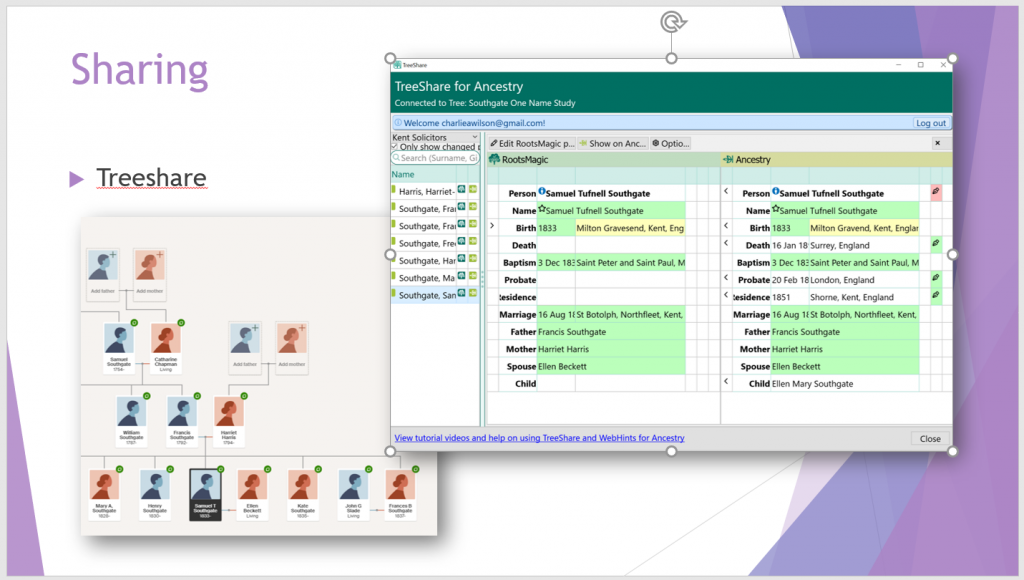
RootsMagic 8 also has awesome sharing capabilities.
You can publish your tree to Ancestry with ease, and it is a bidirectional share, so if you, like me, love pootling on Ancestry on your phone adding ancestors while wasting time, then you can get that information and any sources and media attached to it into your “proper” database easily.
It isn’t an automated syncing process however. You do need to check each fact and choose which ones you want to “push” to or from RootsMagic.
I think this is a good thing – it forces me to slow down and consider my research, rather than quickly clicking and ending up with mistakes proliferating all over my database.
RootsMagic also shares with FamilySearch, although you have to jump out of the program to use this properly, and I haven’t experimented with it much.
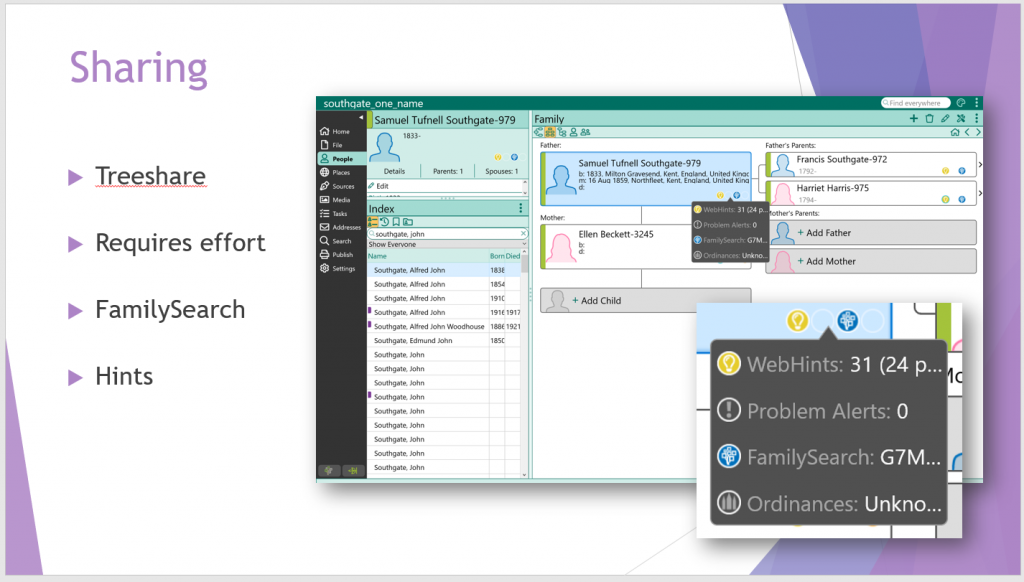
RootsMagic 8 also has built in hints. You can link the program to FindMyPast, Ancestry, MyHeritage or FamilySearch and it will generate hints based on the facts in your database. Use with care, obviously.
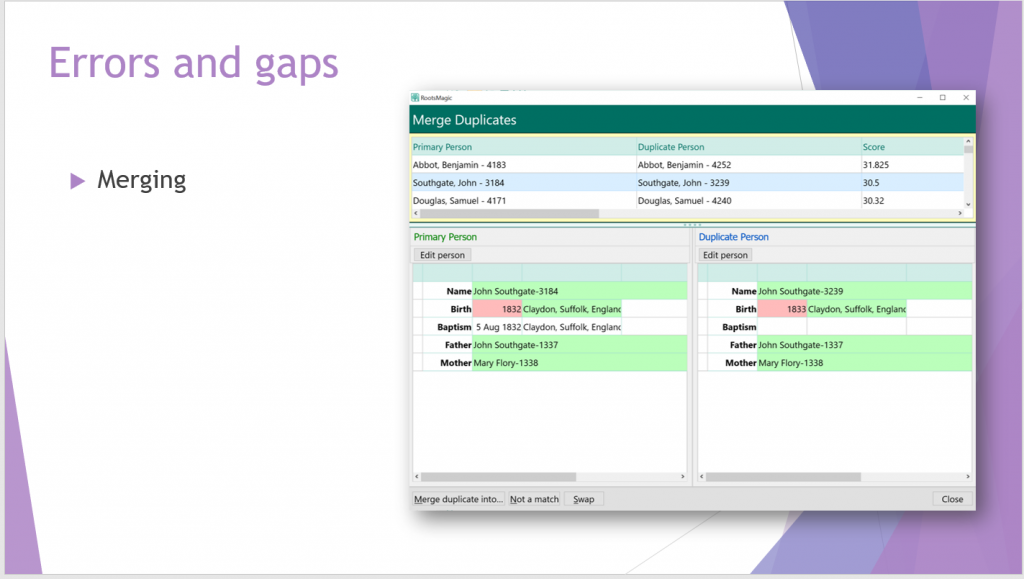
I like the way that RootsMagic 8 helps me find mistakes and gaps in my data.
You can auto-merge, do it manually, or search for possible duplicates and decide if they are the same person.
Here we have two people who may have been merged automatically, but using the search facility and looking at their detail I can see that this is actually a son who died and his similarly named brother born a year later.
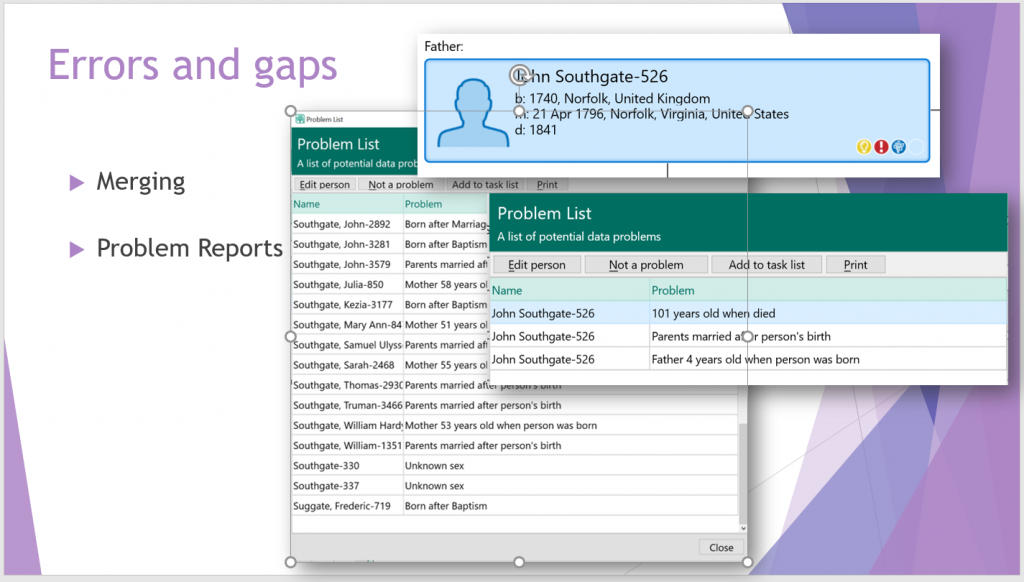
The problem lists are also very useful. Here, John Southgate has a suspiciously young father, and lived rather longer than was normal for 18th century New England.
Of course, you can ignore problems – I did have a father who was indeed 76 when his youngest child (by his third wife) was born.
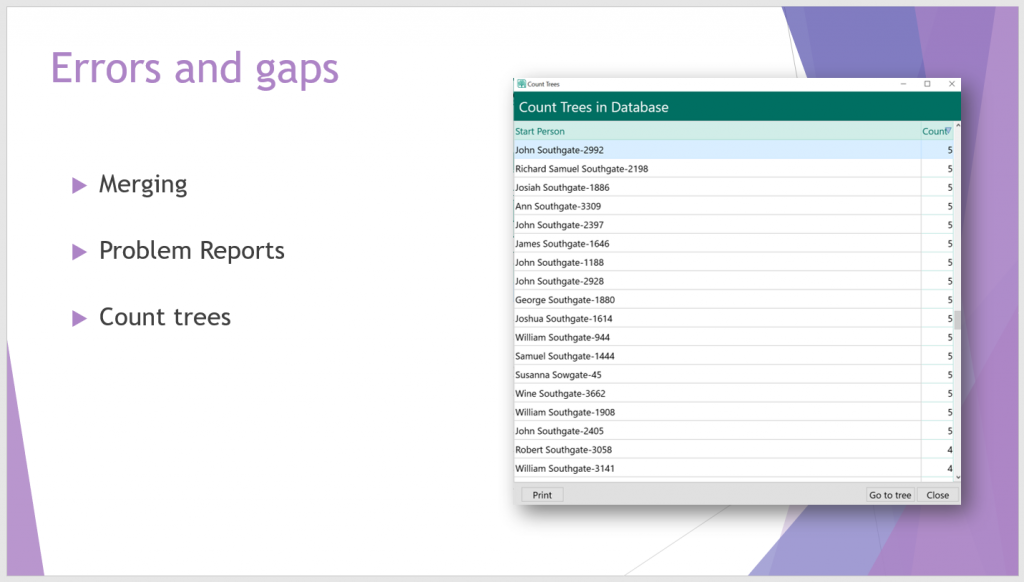
I like the count trees function – I use it to identify the loners and tiny trees in my database, and target my work trying to join them up.
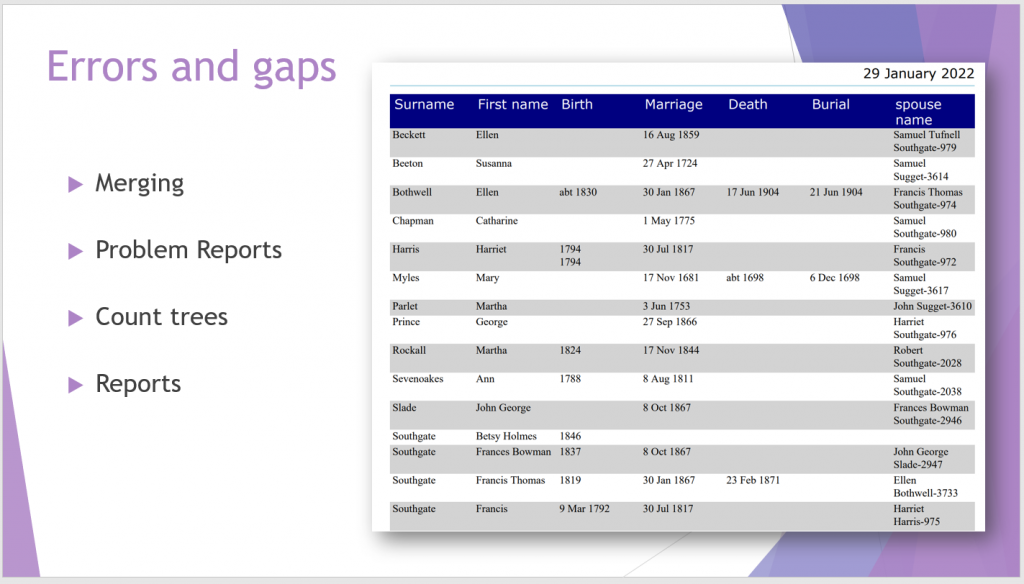
You can view missing information in the People List View in RootsMagic, and customise the view to see specific fields.
Or you can use one of the many reports to print out (either as a pdf or to a printer) a custom report. I have created a report that shows birth, marriage, death and burial dates for part of Samuel Tufnell Southgate’s tree and I can easily spot where I am missing information.
There are lots of other reports in RootsMagic and a couple of my favourite are below.
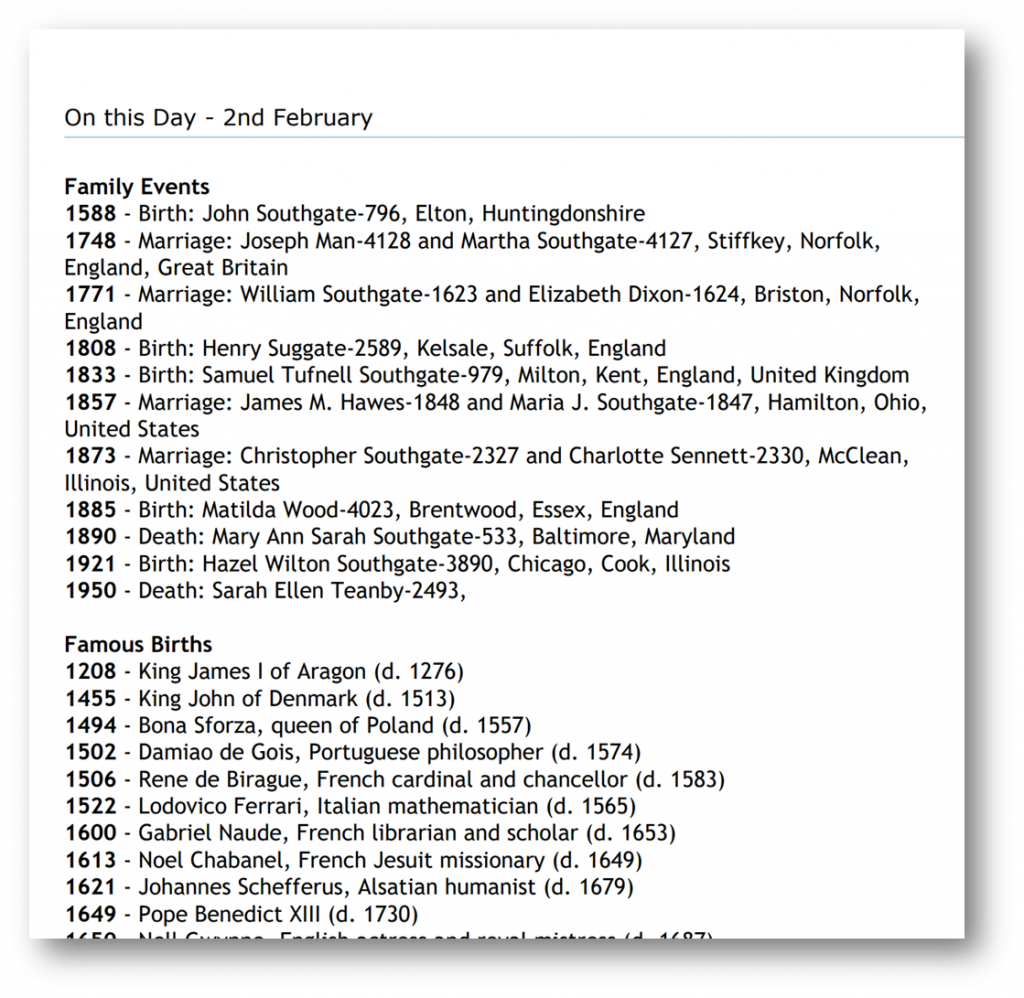
We have an “on this day” report, showing all the events in my database that occurred on a particular day, and world events, famous births and deaths that also occurred.
This is a really cool report for children – showing them who was born, died, or what momentous event happened on the same day they were born is fun. Mine was Vesuvius erupting 1900 years before my birth – always loved that fact.
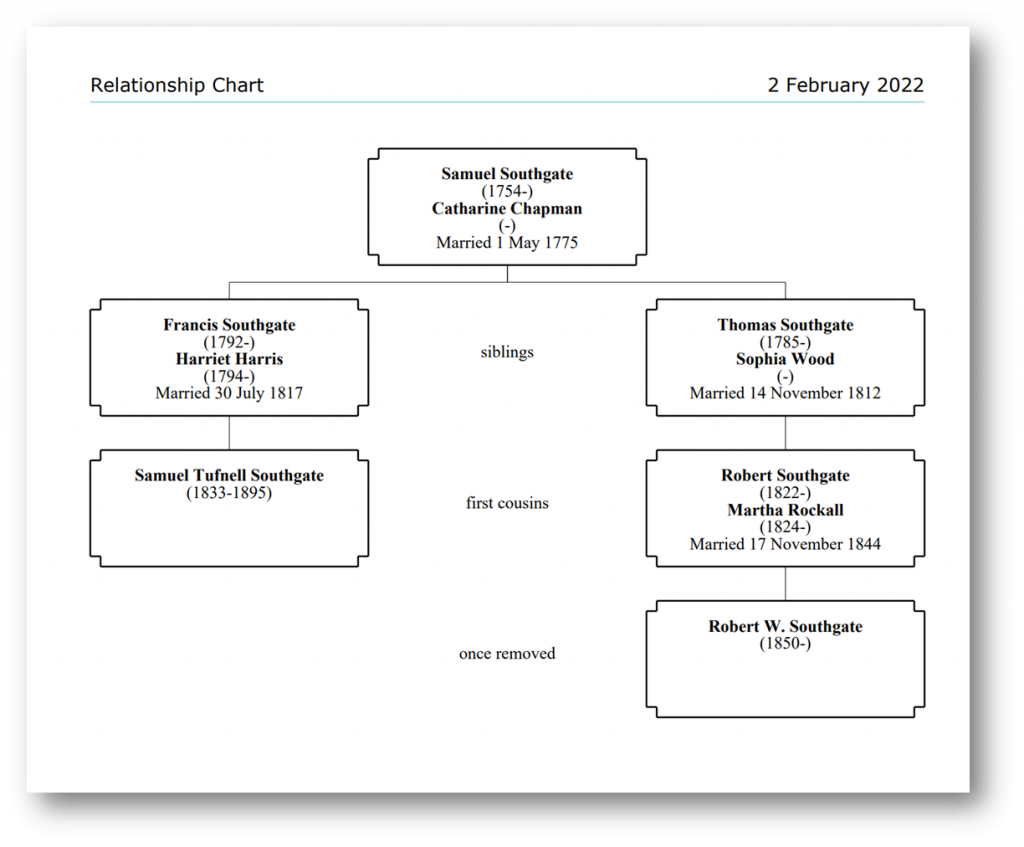
There are also lots of charts. This one is a relationship chart, showing the relationship between two people in my database.
Finally, I love the way that I can customise pretty much any aspect of RootsMagic that I care to.
Of course, you don’t have to do any of this – the software will work perfectly nicely without any customisation at all, but it is nice to know that you can tweak things if they don’t quite suit your way of working.
You can create your own source and fact templates, copy and edit one of the built in sources, or just use them as you are.
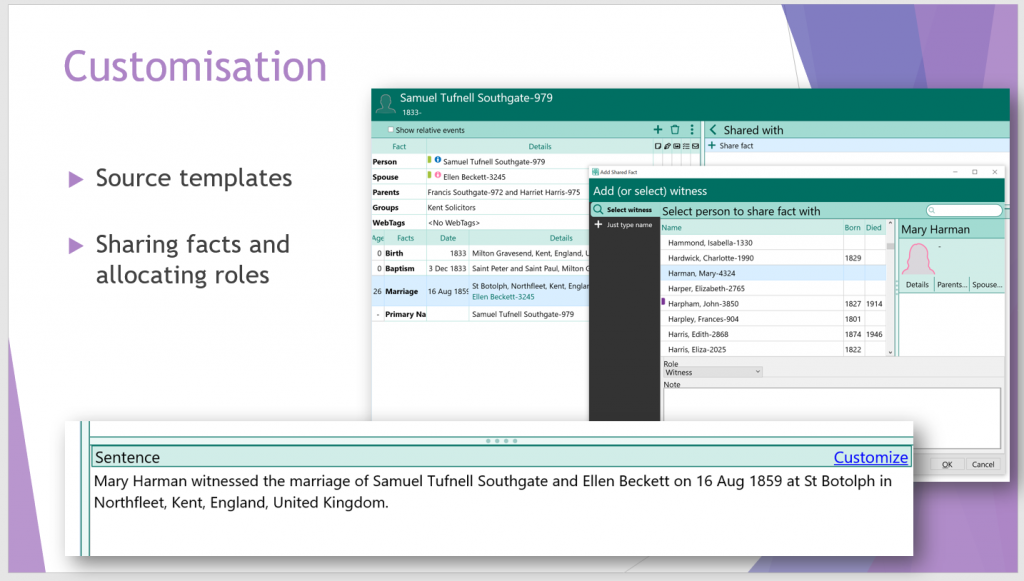
More interestingly, you can share facts between individuals as you can see here. Most family history software allow you to share a marriage fact between husband and wife, but RootsMagic 8 goes further.
You can create roles for each fact, and then share the fact with individuals to whom you allocate the role. In the example above I have given Mary Harman the role of witness at Samuel Tufnell Southgate’s marriage.
You could create officiant, witness, neighbour, census enumerator or business associate roles – the list is endless and it is a brilliant way to include the FAN club approach in your database.
So that is a brief overview of why I think RootsMagic 8 is a good choice for a newer one-name study registrant.
Of course, everyone has different needs and tastes, so although I am more than happy for anyone to copy my methods and ideas, I strongly recommend that you download a copy of RootsMagic 8 Essentials and try it out for yourself.
